 AI Finder
Open and move files the way you always have, while it finds the duplicates and the files you have not opened in years. You see exactly what would go before anything moves.
macOS 12 or later · Apple Silicon & Intel · signed and notarised
On Windows? See the Windows version (in Korean)
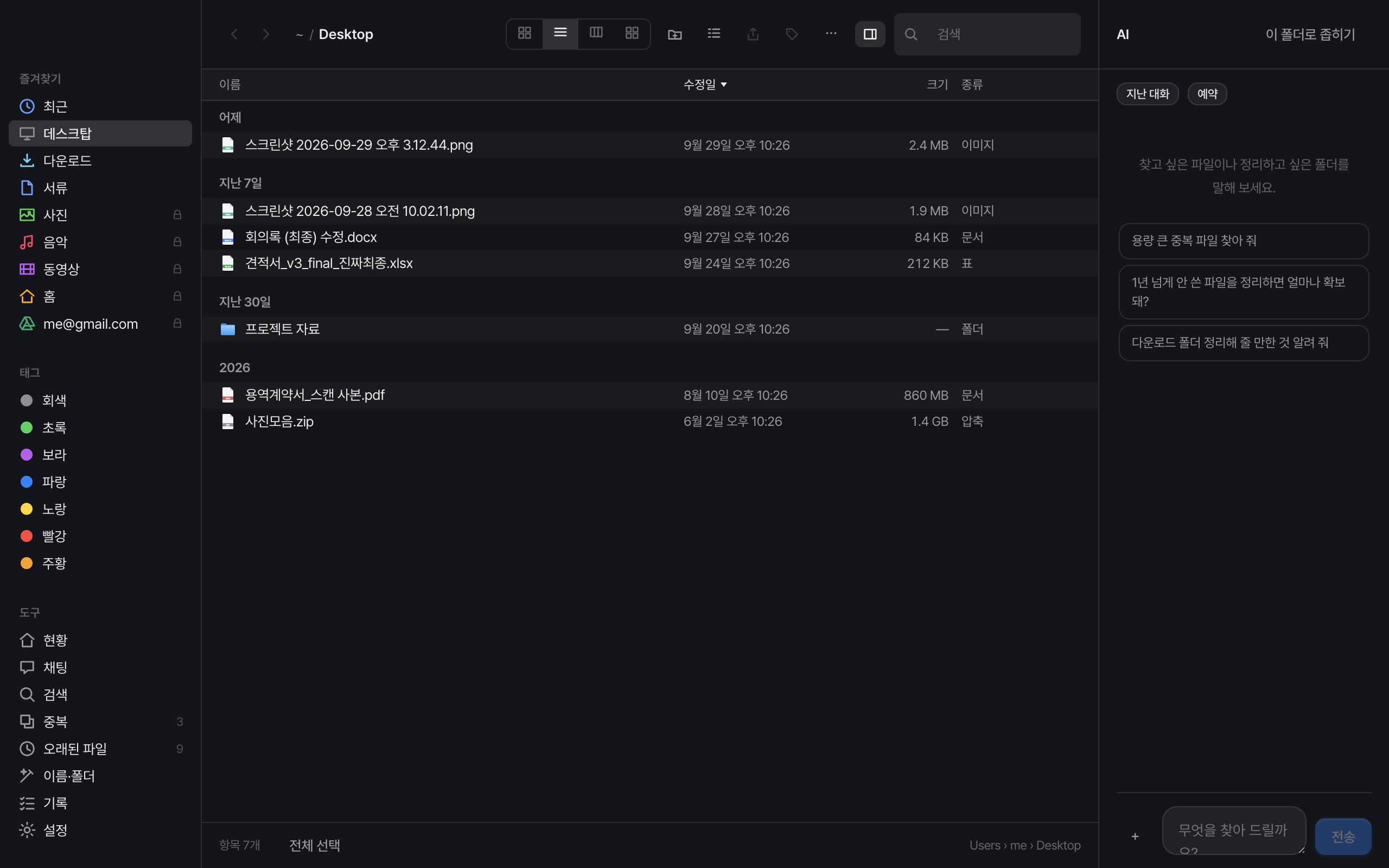
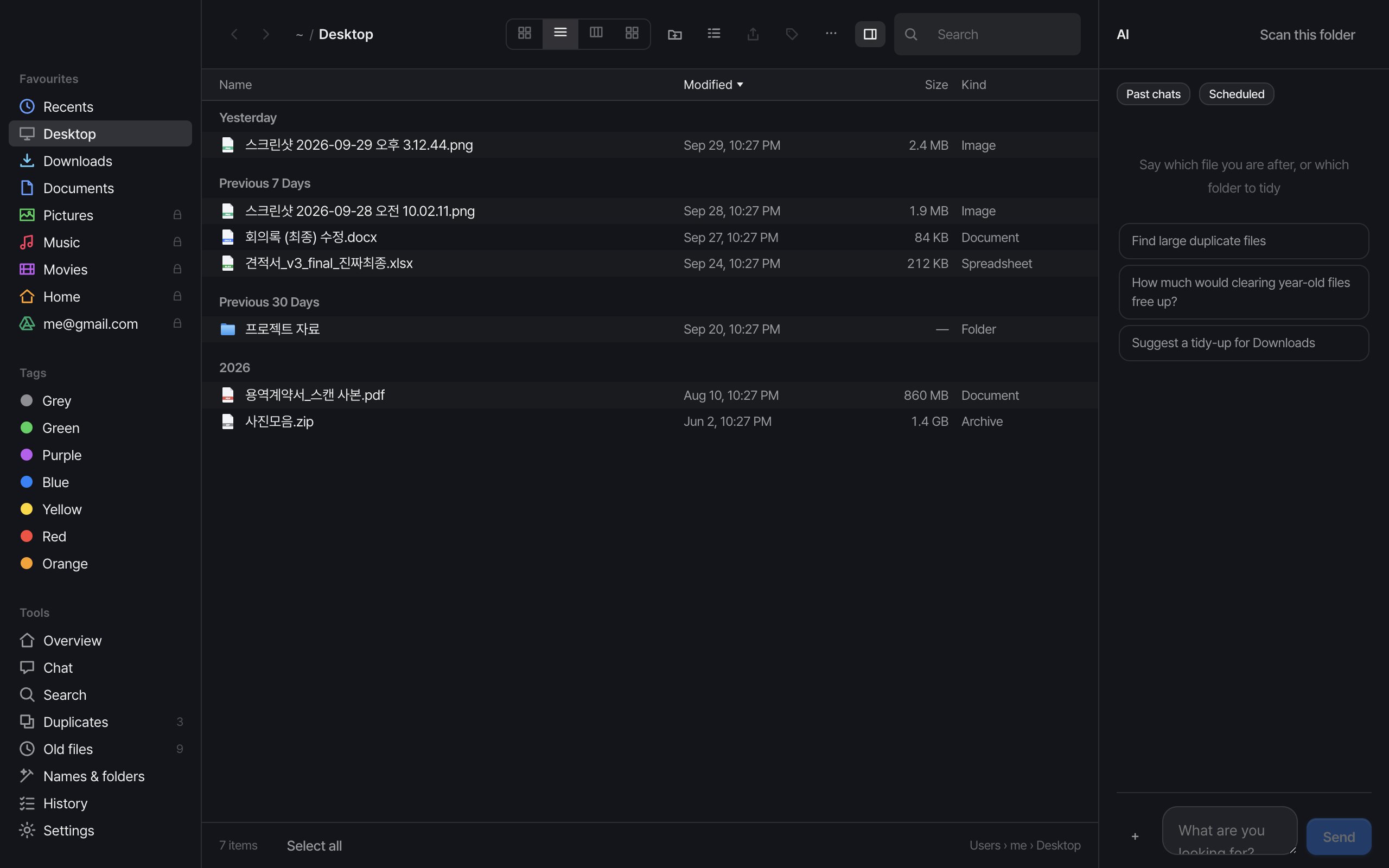
Spotlight wants the name right, and searching for a folder does not show you what is inside it. So you open folders one by one.
"final", "final2", "actually-final". Different names, so Finder calls them different files. The disk keeps filling up.
Deleting means deciding what matters. Moving means trusting you can undo it. So it stays where it is.
AI Finder is a file manager for macOS 12 or later. You open and move files as in Finder, and it finds duplicate files by content and large files untouched for over a year, then shows a plan before anything moves.
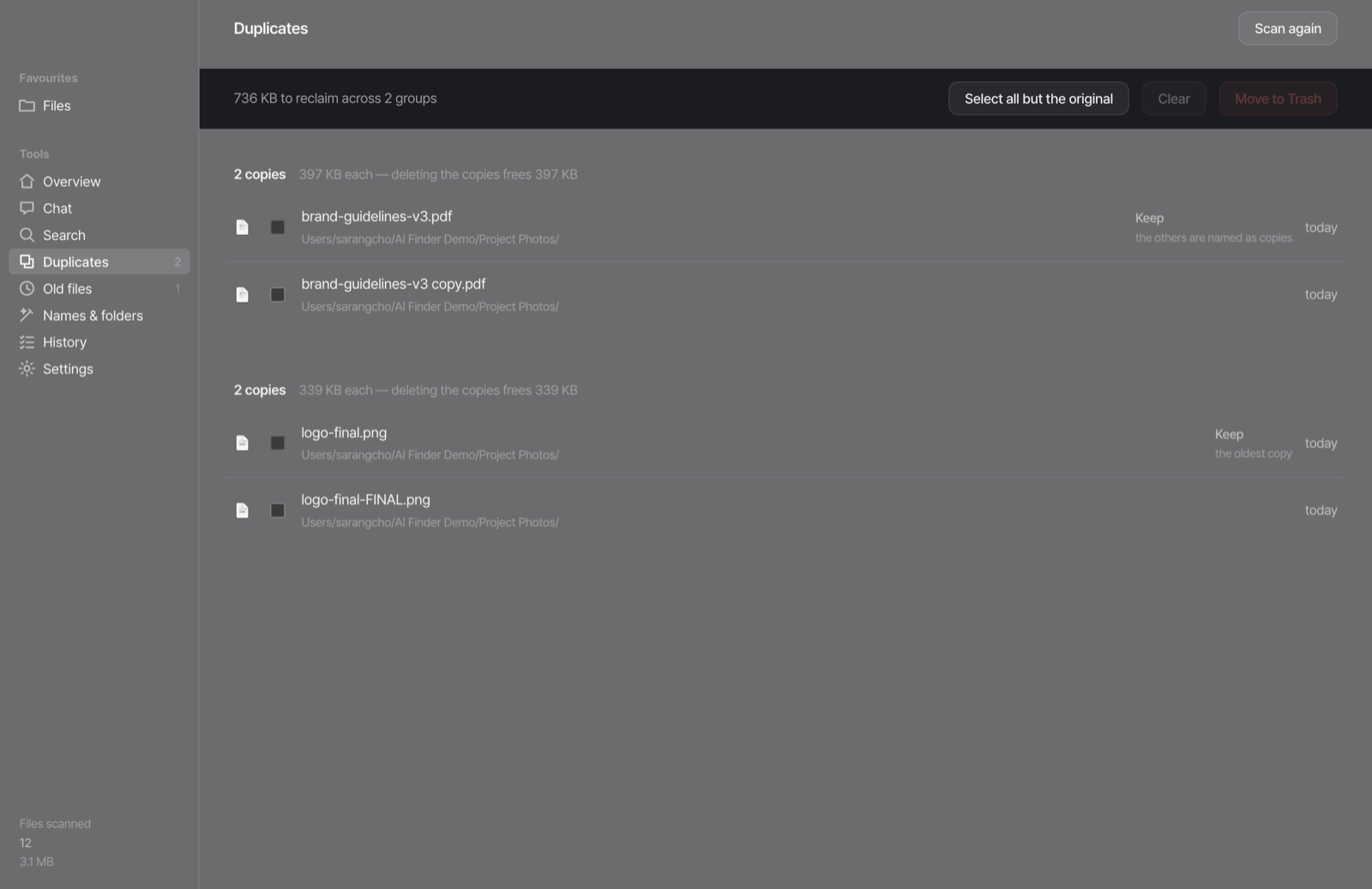
Same file, different name — it still groups them. It suggests which copy to keep and why, and only the ones you pick go to the Trash. One click puts them back.
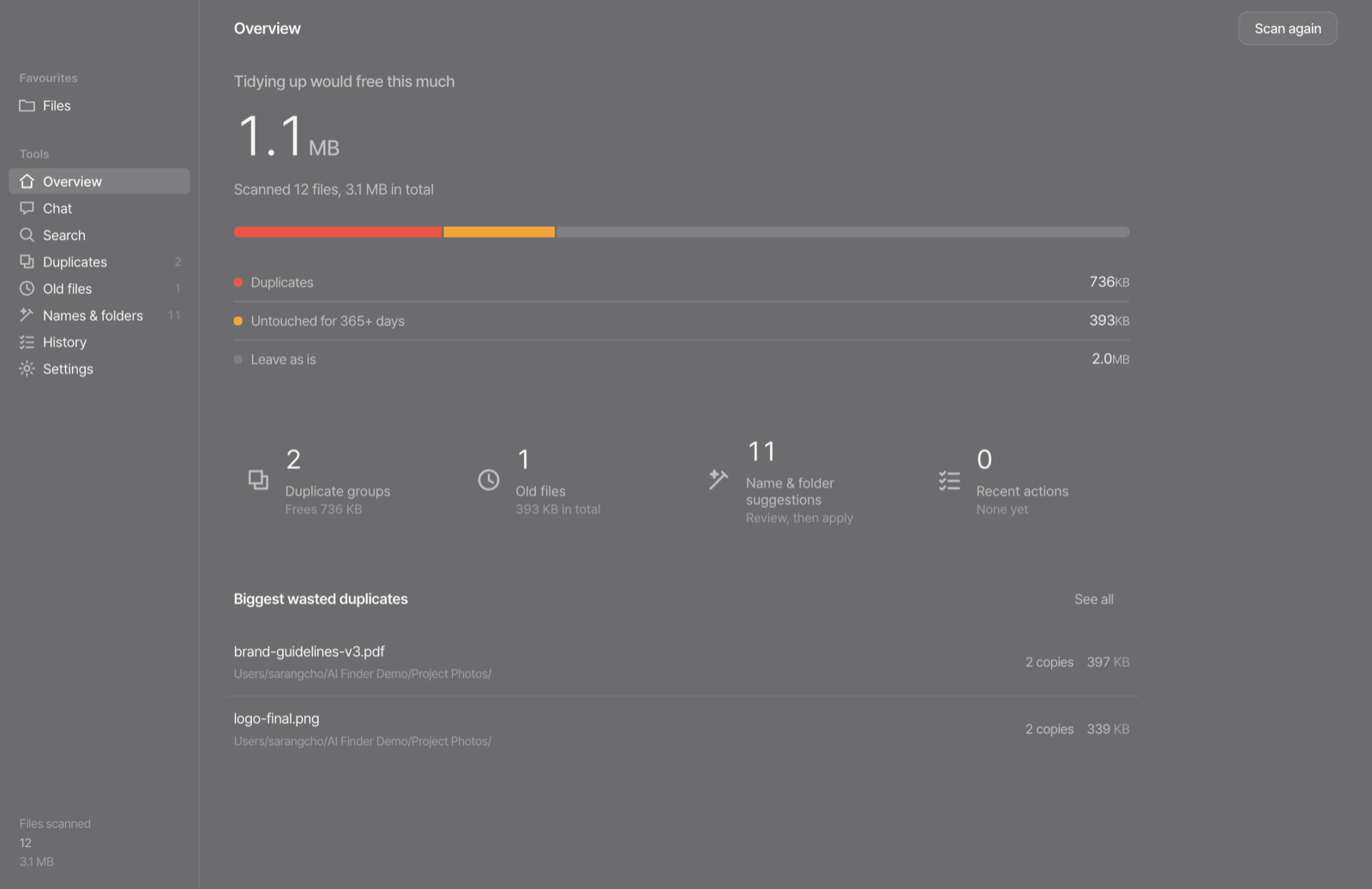
How much space duplicates and old files take, broken down. You see the list before anything runs, and choose only what you want.
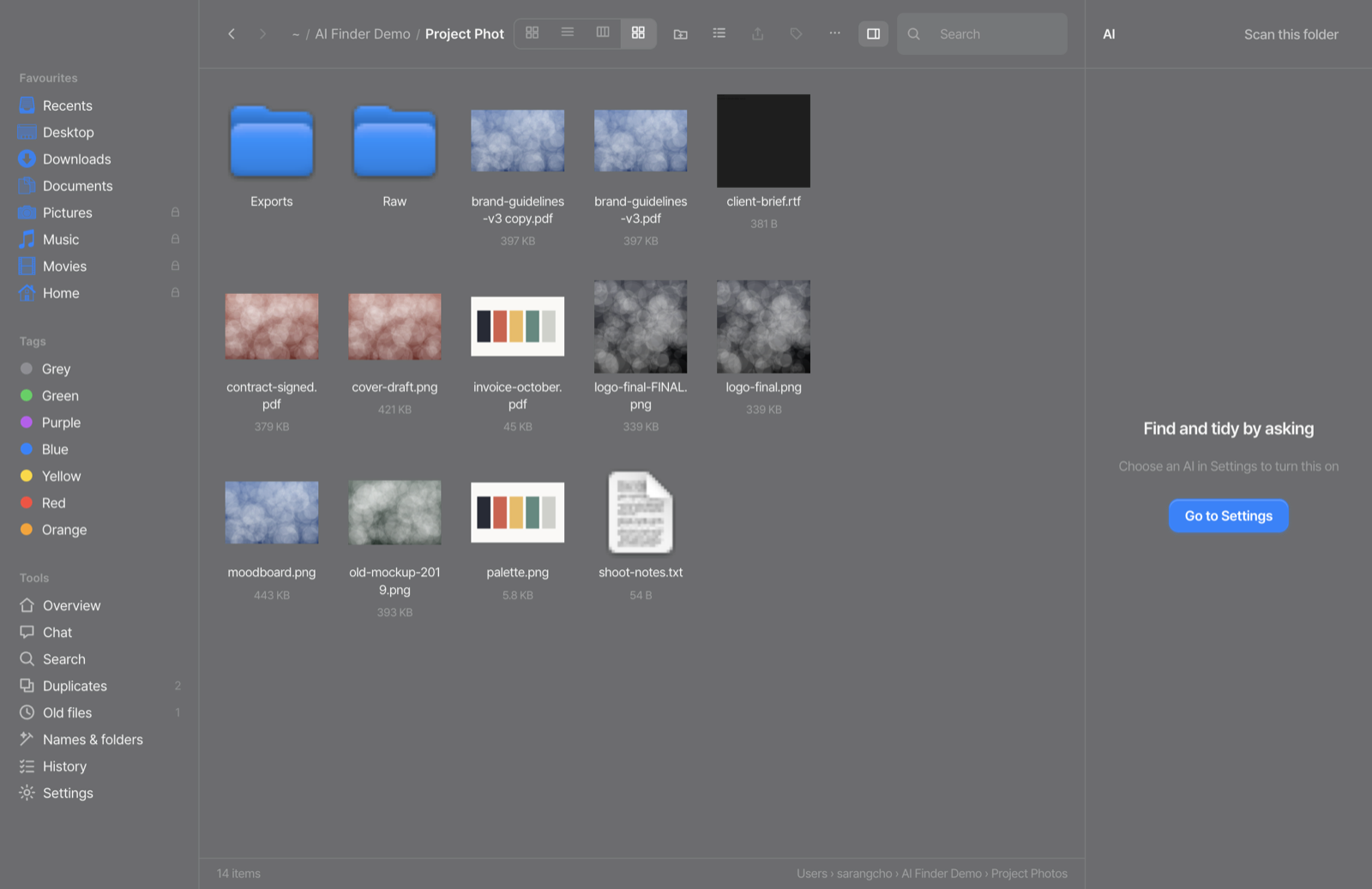
Gallery, column, icon and list views, all four. PDFs and images preview their real contents, and the space bar opens Quick Look.
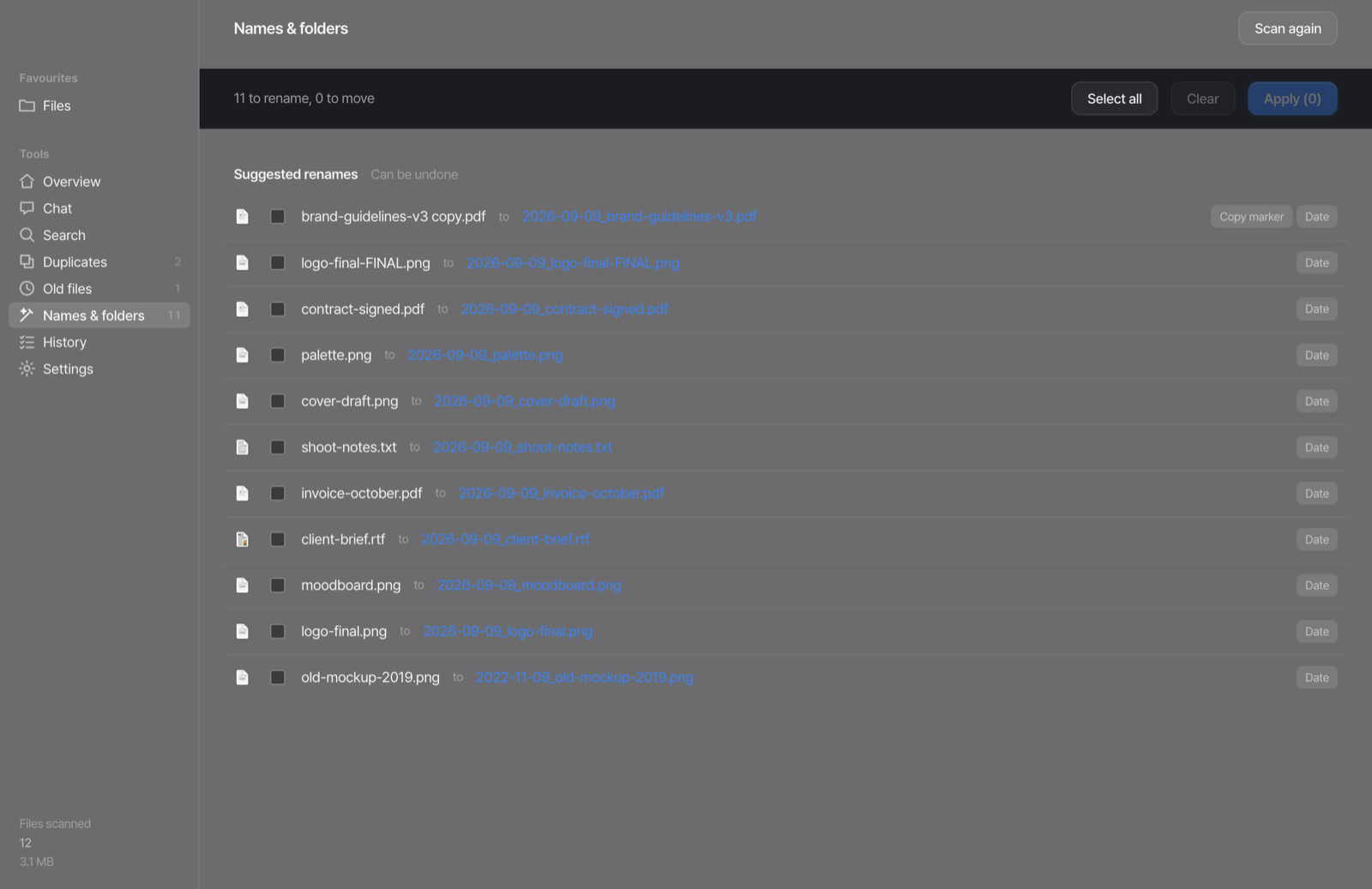
It proposes a consistent naming scheme and folders to group files into. You see every rename before it happens, and can undo it after.
The things a file manager needs.
Keep several folders open in tabs. Pin the ones you use most to the sidebar.
Reads and writes Finder colour tags as they are — a tag set here shows up in Finder too, and you can filter by colour.
Pulls text out of images and PDFs, using only what is built into macOS.
Images to PNG, JPEG, TIFF, HEIC, GIF, BMP or PDF, plus camera RAW; documents to TXT, RTF, HTML or PDF; Pages, Keynote and Numbers out to PDF. It writes a copy and leaves the original untouched.
Zip files together, and extract archives by right-click, double-click or a shortcut. Rename a whole set by a rule, and crop images to a ratio.
Twelve providers, from Claude, GPT and Gemini to local Ollama and LM Studio. IDs, card and phone numbers are masked before anything is sent. Reading inside a file stays off until you turn it on.
What an app that touches your files owes you.
Everything tidied goes to the Trash. Nothing is removed outright.
A tidy-up is undone in one go.
Reading inside files is off by default. With it on, only what the question needs is read, and details like ID and phone numbers are masked.
AI Finder is a file manager for macOS. You open and move files the way you do in Finder, and it finds duplicate files by content, large files you have not used in a long time, and messy file names, then shows a plan to tidy them. It is made by SPECIAI and runs on macOS 12 or later.
Yes. It compares content, not names. Only files of the same size are hashed, and files over 8 MB are first compared by their first and last 64 KB, so the whole disk is never read. For each group it suggests which copy to keep and why.
Nothing is deleted outright. Everything removed goes to the macOS Trash, and renames and moves can be undone from History, one by one or all at once.
Only the folders you choose in Settings. ~/Library, ~/.ssh and other system or security folders, source code and anything inside .git are never touched. It always shows the list first and changes only what you tick.
Browsing and tidying files stay free. Every feature, AI chat included, is free for 14 days after you install; after that AI chat needs a $4.99 licence for one year. It does not renew automatically.
With AI chat, file names and folder paths go to the AI provider you choose. Reading inside files is off by default, and ID, phone, card and account numbers and email addresses are masked before anything is sent. With a local model such as Ollama or LM Studio, nothing leaves your Mac.
Yes. Right-click a file to turn it into a PDF; the original stays and a copy is made. Images convert to PNG, JPEG, HEIC or PDF, and video can be turned into an MP3 of its audio.
Twelve: Claude, OpenAI, Gemini, Groq, OpenRouter, DeepSeek, Mistral, Together, xAI, any OpenAI-compatible API, Ollama and LM Studio.
Every feature is free for 14 days after you install.
Your key arrives by email within a few minutes. It does not renew automatically.